Desktop AI Agent

From 'using' Excel
to 'delegating' to an agent.

Connect your local folders and just ask. File aggregation, analysis, report generation — the agent handles it all.

Spreadsheet is for viewing. Agent does the work.

Start free · No upload · Runs locally
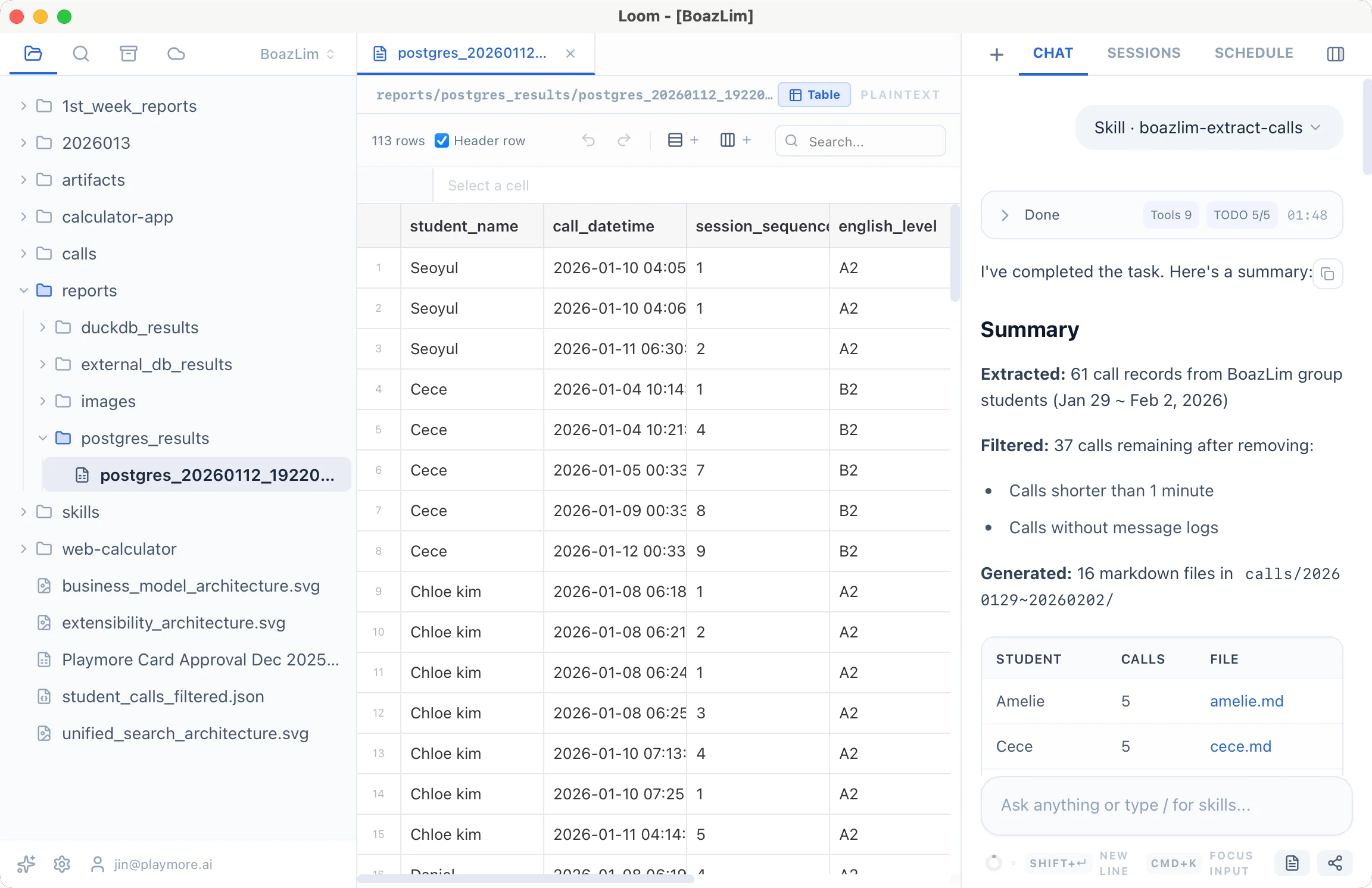
Loom AI Agent

Why a desktop agent?

Complex task automationPlans and executes multiple steps on its own
Scattered files, all at onceAcross folders and formats
Secure & localData never leaves your machine

Powered by the best AI models

OpenAI GPTAnthropic ClaudeGoogle Gemini

Use top-tier AI models without setup. Choose the right model for each task.

Collect → Analyze → Output. All at once.

No SQL or Python required.

Folder+Web+DB
Just ask
Save as files

This is how it changes

Open 200 files one by one
"Scan the entire folder and summarize"
Manually merge files from folders
"Combine sales+expenses+budget folders into P&L"
Process Excel, PDF, web data separately
"Analyze folder + web search results together"
Request visuals from designer
"Create an infographic from this data"
Repeat same work every month
"Save as skill, runs automatically"

Just ask, get files.

Infographic Generation

Theme News + Stock Analysis

Latest news → related stocks → price infographic
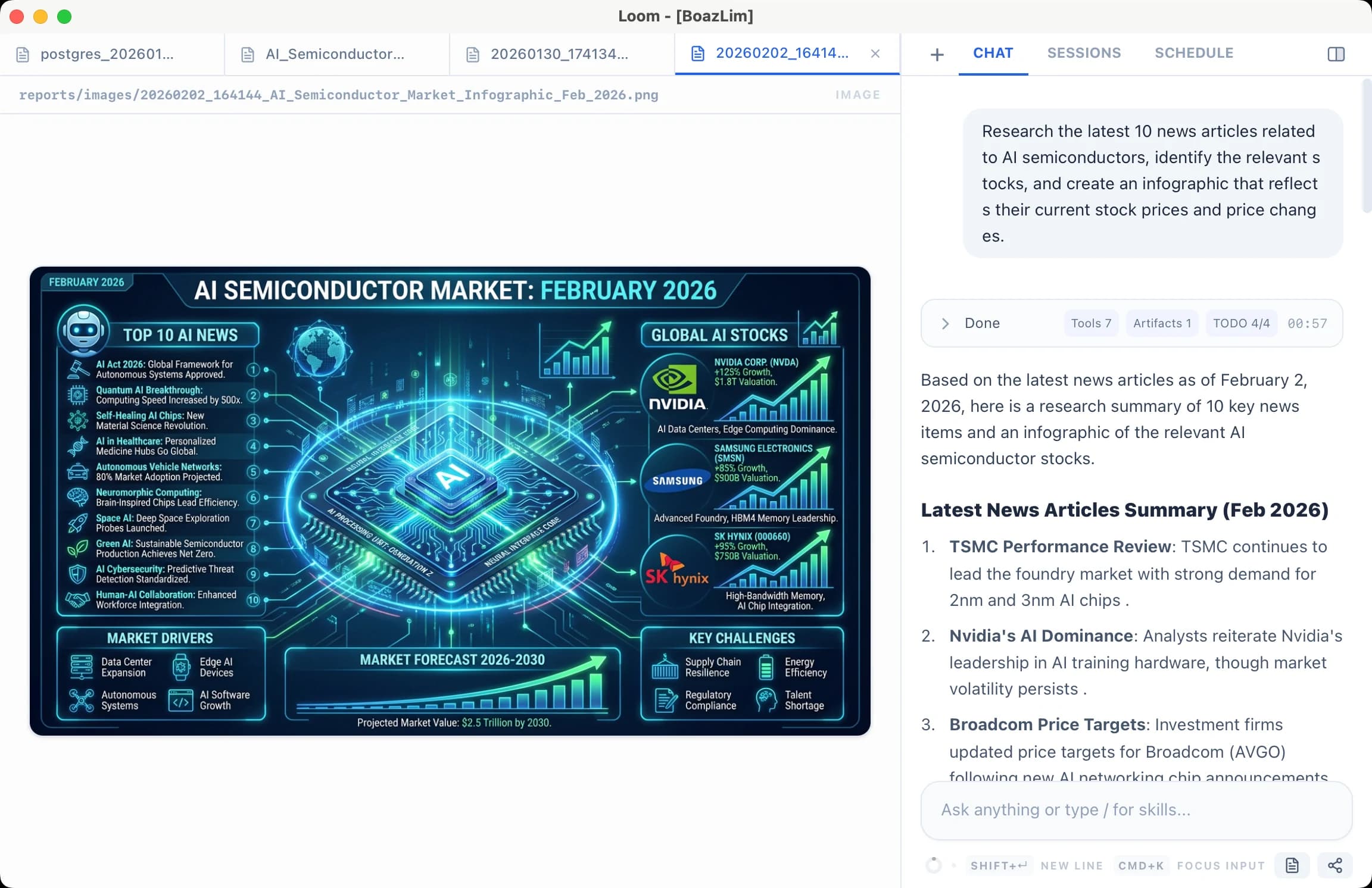
"Research 10 latest AI semiconductor news, find related stocks, create infographic with current prices & changes"
NewsSummary.xlsxStockInfographic.pngInvestmentInsights.docx
StockInfographic.png

Annual Reconciliation

Multi-folder, multi-format merge

"12 CSVs from sales folder + receipt PDFs from expenses + budget.xlsx → monthly P&L statement"
MonthlyPL.xlsxBudgetVsActual.pngAnomalies.docx

Bulk Contract Review

Extract clauses from 30 PDFs

"Extract auto-renewal, termination, liability clauses from all PDFs in contracts folder → comparison table"
ClauseComparison.xlsxRiskContracts.docxSourceLinks

Bulk Marketing Creatives

Performance data + trend search → 30 creatives

"Analyze last month's ad performance folder, search latest industry trends, write 30 ad copies by channel"
30AdCopies.xlsxPerformanceInsights.docxTrendSummary.docx

Inventory & Reorder

POS + warehouse + supplier data

"POS sales folder + warehouse inventory + supplier lead times → reorder timing analysis"
ReorderForecast.xlsxInventoryTrend.pngUrgentOrders.docx

Different from typical AI chatbots

It doesn't end with chat. Results are saved as actual files.

AI Chatbots
Loom
Upload a few files
Connect entire local folders
Text in chat window
Excel, charts, docs as files
Unclear origin
Exact file:line reference
Explain from scratch
Save as skill, auto or one-click
Uploaded to server
Processed locally
Only a few files
Thousands in folder OK
Download file, open in separate app
View instantly in built-in viewer
Results only, process is opaque
From planning to intermediate results, all transparently recorded
User Feedback

What real users told us

Excerpts from conversations about real work they've handled.

Managing Patent Attorney at D Patent Office
D
I tried every AI service for checking information across a large set of PDFs, but only Loom worked.
D
I tried the same task with various agents like A and B, but natural language instructions didn't work well, so it felt inflexible.
Me
A's service requires writing workflows yourself, so it's hard without developer-level knowledge.
D
Right. I was even considering solving it later by running it via API.
D
Loom solves it right away with natural language. I'm totally sold!
Executive at L Corp
L
Within the same chat I moved to a different file, and it immediately worked on that file. The context switching is really smooth.
L
Unlike M365 Copilot, it's great that you can see the output right in the viewer. With M365 you have to create the file, download it, and open it...
Me
That's why we made it a desktop app. Real work is mostly exploratory.
L
Right. Executives usually want a single "Company AI," a unified system. But once you do real work, you quickly see how detached that idea is from reality.
L
So separately from that, I think a personal productivity tool like Loom is absolutely necessary.
Team & Enterprise

Share the process

Review the AI's work process together as a team. Catch bad judgments and build more reliable results.

AI Session Sharing

"Analyze sales data"

Teammate continues

"Break this down by quarter"

File/Folder Sharing

Select my local file

Teammate accesses

Use directly without download

Enterprise:
On-premise
Custom LLM
Audit logs

From free to enterprise

Free
$0
Start with no commitment
  • 500 credits
  • Full feature trial
  • Local folder connection
  • No card required
Pro
$20/mo
For individual users
  • 2,000 credits/month
  • Web scraping
  • DB connection
  • Skills (automation/extensions)
  • Image generation
Recommended
Team
$25/seat
For team collaboration
  • All Pro features
  • AI session sharing
  • File/folder sharing
  • 100GB cloud storage
  • Team management
Enterprise
Contact
For large organizations
  • All Team features
  • On-premise installation
  • Custom LLM integration
  • SSO/SAML
  • Audit logs

Frequently Asked Questions

Don't do it yourself. Delegate to the agent.